Several weeks ago, I wrote about some steps I had taken to conserve energy at my new apartment. Since then I have made some more progress and wanted to post the updated results.
Water Heater
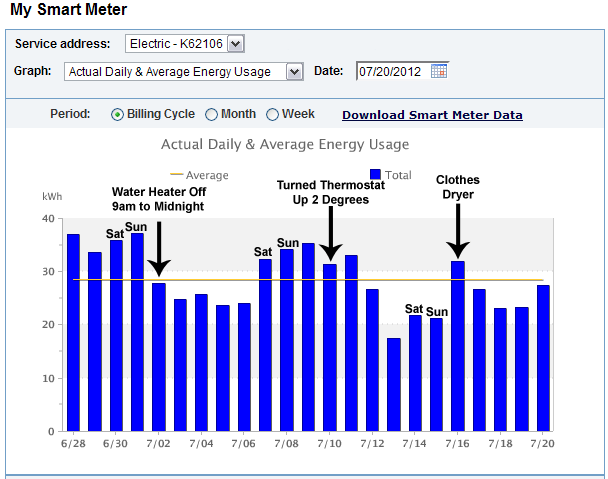
Since my last post, I began switching off my water heater during the day. It seems silly to maintain a large 40-gallon tank of boiling hot water all day long when I really only take a shower in the morning. Right away, I saw my energy usage drop by about 7 kilowatts per day!
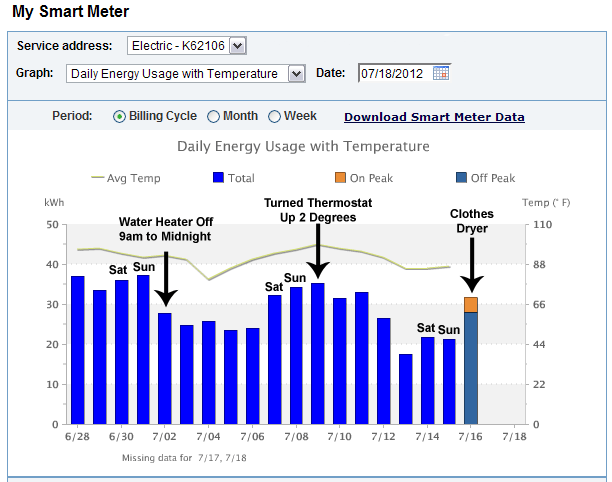
What I do is turn off the power to the hot water heater after my morning shower and turn it on again before I go to bed. This gives the tank at least 6-8 hours to heat up during the middle of the night. The tank is so well insulated that even at 8 or 9pm when the heater has been off for several hours, the water coming out of the taps is still hot!
However, there are consequences for doing this as well. If the water temperature inside the tank gets too low, it can allow bacteria to grow. It is also important to remember that other appliances such as the washing machine and dishwasher also need a large supply of hot water, so you have to plan ahead and turn the water heater on in advance to use them.
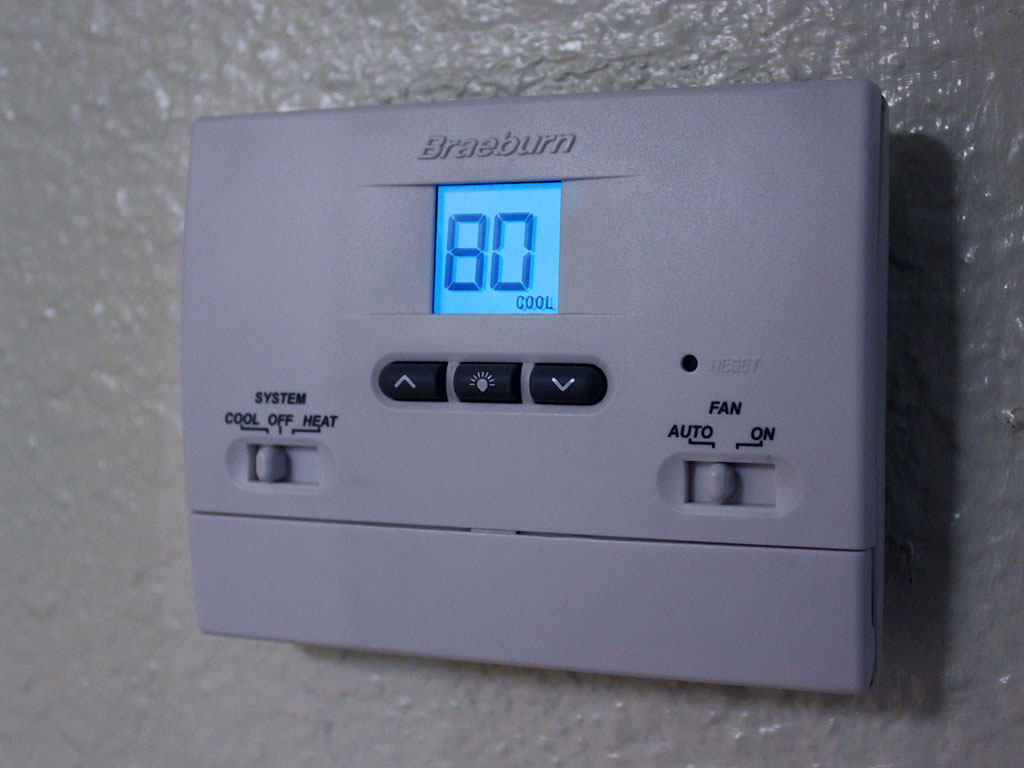
Thermostat
Summer is in full swing here in Phoenix, and the big jump in outdoor temperature means that my A/C unit is running more frequently to maintain a constant temperature inside. What I did was bump up the temperature a few more degrees than usual when I leave for work. The results from this are seen on the graph from July 9th through 13th. My energy usage is highest on weekends, when I am home much more than during the week.
Reducing the Base Load
Initially, I believed that household appliances such as lights and fans didn’t make much difference on an energy bill when I saw that the vast majority of my usage comes from the air conditioner. This is still somewhat true, but I am now being conscious of my other energy usage as well.
I read a fantastic article called “The Phantoms I’ve Killed” on a blog called Do The Math. The author is a professor at the University of California, San Diego, and he makes some excellent points about energy savings. The main thing I took away from the article was the importance of reducing your “base load,” or appliances that are drawing power 24/7.
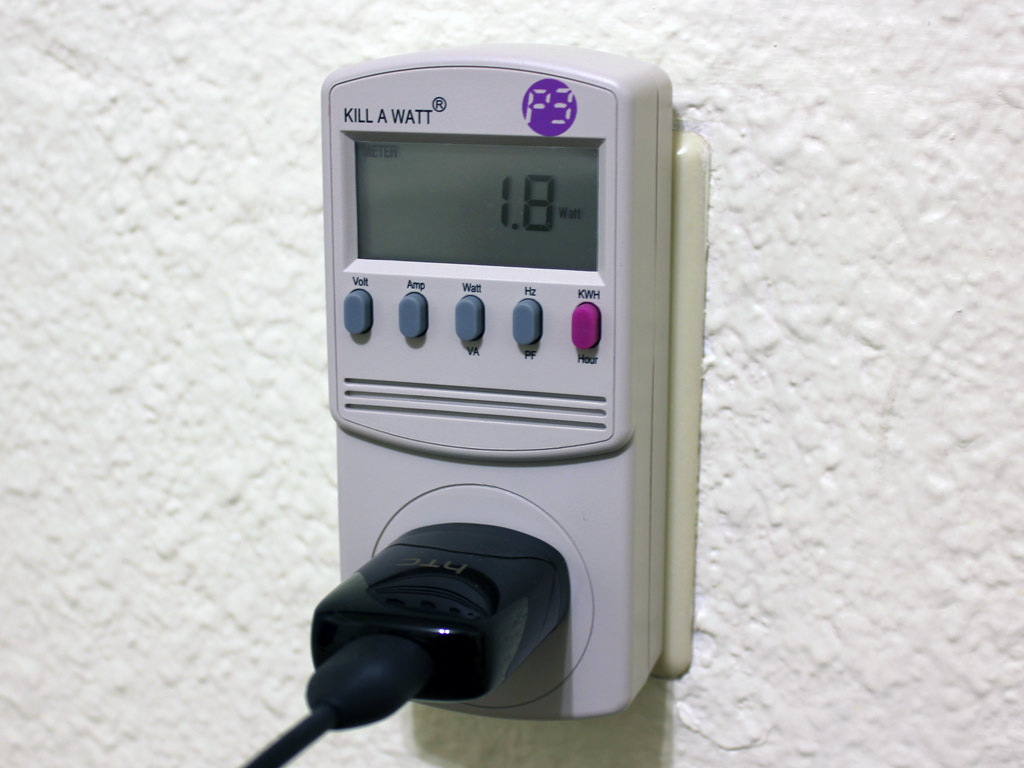
After reading the article, I jumped over to Amazon and ordered a Kill-A-Watt meter from P3 International. When it arrived, I began analyzing each of the different devices in my house. Here is what I found:
| Device | Power Consumption in Standby / Off Mode (Watts/Amps) | Power Consumption when On (Watts/Amps) |
| Bedroom Lamp | 0 / 0 | 40w / 0.33a |
| Alarm Clock | 0 / 0 | 1.2w / 0.02a |
| Ceiling Fan Lights (3x 60-watt Incandescent) | 0 / 0 | 185w / 1.53a |
| Bedroom Ceiling Fan (High) | 0 / 0 | 45.2w / 0.39a |
| Bedroom Ceiling Fan (Med) | 0 / 0 | 31.2w / 0.27a |
| Bedroom Ceiling Fan (Low) | 0 / 0 | 20.3w / 0.17a |
| Living Room Ceiling Fan (High) | 0 / 0 | 54.0w / 0.44a |
| Living Room Ceiling Fan (Med) | 0 / 0 | 39.6w / 0.32a |
| Living Room Ceiling Fan (Low) | 0 / 0 | 24.7w / 0.20a |
| Sony 32″ CRT Television | 0.3w / 0.03a | 153w / 1.85a |
| Sony DVD Player | 1.4w / 0.02a | 18.0w / 0.26a |
| Toshiba HD-DVD Player | 0.6w / 0.01a | 24.0w / 0.37a |
| Panasonic S-VHS VCR | 8.9w / 0.15a | 16.8w / 0.26a |
| Pioneer Laserdisc Player | 6.7w / 0.11a | 26.3w / 0.40a |
| Home Theater PC (AMD Athlon 4800+ Dual Core) | 7.1w / 0.11a | 98.8w / 1.42a |
| Paper Shredder | 0 / 0 | 39.1w / 0.41a |
| Dell Dimension 4100 Desktop (P3 800MHz) | 2.3w / 0.04a | 55.5w / 0.73a |
| ViewSonic 19″ CRT Monitor | 0 / 0 | 69.6w / 0.88a |
| Realistic Desktop Radio Scanner | 2.3w / 0.05a | 4.4w / 0.05a |
| HP All In One Printer | 10.5w / 0.15a | 9.4w / 0.15a |
| Frigidaire 900-watt Microwave Oven | 1.5w / 0.02a | 1395w / 13.3a |
| Onkyo Stereo Receiver | 2.7w / 0.02a | 52.2w / 0.55a |
| Delphi Sirius XM Radio | 1.8w / 0.05a | 7.0w / 0.07a |
| MCS 100-watt Stereo Amplifier | 0 / 0 | 29.2w / 0.37a |
| MCS Stereo Tuner | 1.6w / 0.02a | 5.1w / 0.05a |
Energy Analysis
Right away I was able to identify some problem devices. Three incandescent light bulbs in the bedroom used almost 200 watts of energy! I promptly replaced those bulbs (and several others) with some good quality CFL bulbs. Now they draw just 39.9 watts and 0.53 amps! That is a 78% reduction in watts and a 65% reduction in amperage!
I was very surprised to see how much energy my home entertainment stuff in the living room was using, even when powered off! I put the whole entertainment center on a power strip and by turning it off, I am saving 24.8 watts and 0.39 amps of energy every hour!
Finally, I placed several of my office devices such as the old second computer, paper shredder, printer, and radio scanner on a power strip which I also keep turned off when not in use. This shaves another 15.1 watts and 0.24 amps off my electrical base load.
Cost Savings
My rate for electricity varies depending on the time of year.
May – October: $0.09687 cents per kWh
November – April: $0.09417 cents per kWh
Let’s take a closer look at that home entertainment center. By keeping it switched off when not in use, I am saving 24.8 watts of electricity per hour. First, we have to convert watts to kilowatts: 24.8 / 1000 = 0.0248 kw.
Now we multiply that by the hourly rate of $0.09687 to get a cost of $0.00240 cents per hour. Multiply that by 24 hours a day, and you can see that it costs me about a nickel a day during the summer to keep the TV plugged in all the time.
Take that rate and multiply it by 182 days (half the year) to get a 6-month cost of $10.48. When I do the same math for the winter rate (multiplying by 183 days to make an even 365), I get a six-month cost of $10.25 and a total savings of $20.73 per year.
Closing Thoughts
With these changes, I should see some lower utility bills over the next several months. However, there are many more areas I can explore such as:
- Continue working to reduce the base load (battery powered alarm clock?)
- Measuring more devices such as my main computer, cell phone charger, etc
- Cooking with the toaster oven instead of the full-size range
- Being conscious of energy usage when purchasing new electronics
Will keep you updated on my progress in a future post!

This is a great post, I think you should turn it into a 2 or 3 part series.